
Custom CRM Development
Most of the time an off-the-shelf CRM is fine — you adapt, you use 20% of the features, you pay for the rest, and it works well enough. Sometimes it is not fine. Sometimes the way you actually sell does not fit the shape of the software, and your team keeps the real information in a spreadsheet and updates the CRM afterwards because someone said they had to.
What is included
- A discovery workshop of half a day to a day, ideally at your premises
- A documented process map of your pipeline, data, integrations and reporting needs
- A written scope with a fixed price for phase one and an explicit exclusions list
- Interface designs and a clickable prototype of the core screens
- Two-week build sprints, each ending in a working version you can log into
On this page
- Why does a CRM stop being used after a few months?
- When is a custom CRM the right call, and when is it not?
- What if the honest answer is buy Zoho?
- Should you build a CRM, configure one, or extend one?
- What do we build into a custom CRM?
- What do CRM development services cover, from first call to support?
- Why does it matter that the same team builds the marketing and the CRM?
- What should a CRM development company be able to show you?
- What drives the cost of a custom CRM?
- What moves the cost, honestly?
- How does a custom CRM compare with paying per seat?
- Who owns the CRM, the data and the code?
- Will it still work when the business is twice the size?
- What can you take with you when you leave a CRM?
- What happens to the data in the old system?
- How can you tell early that a CRM is being abandoned?
- How does a team actually learn to use it?
- What should you prepare before you brief a CRM developer?
- What happens if you want to move to another developer?
- What have we built, and for whom?
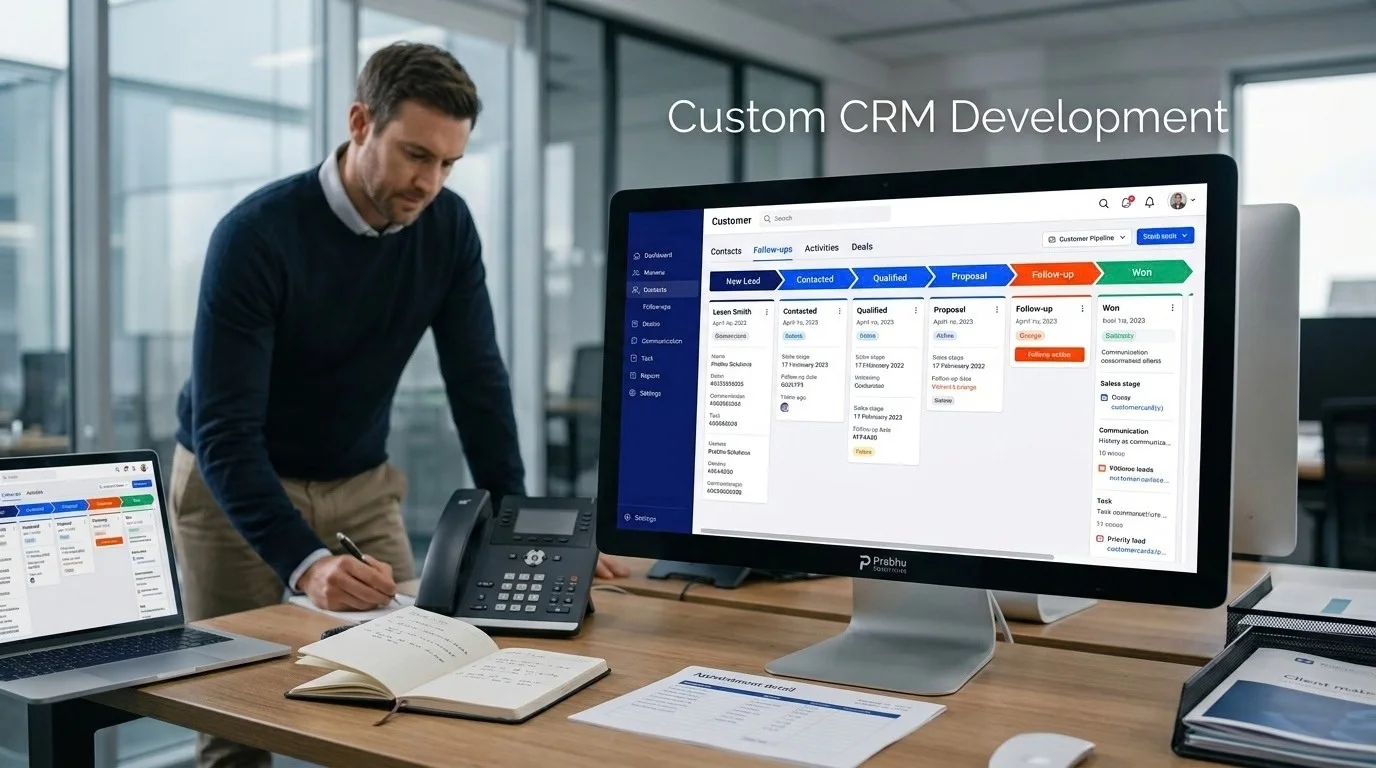
Why does a CRM stop being used after a few months?
Because the software has a shape and your sales process has a different one. A business buys a well-known CRM. It is configured over a few weeks, everyone is trained, and for about three months it works. Then reality arrives, and within a year the CRM is a place where data goes to be typed twice.
The pattern is always the same. Your quoting process has a step the CRM has no field for. Your pipeline has two stages that the software insists are one. The reporting your managing director actually wants needs an export into Excel every month. Someone starts keeping a “real” spreadsheet, and everybody quietly agrees to update the official system afterwards.
None of that is a failure of discipline. It is a mismatch between a general-purpose product and a specific business — and the more distinctive your operation, the worse the mismatch gets. Businesses with long, technical, multi-stakeholder sales cycles suffer most: manufacturers quoting from drawings, contractors pricing from site visits, professional services firms managing matters rather than deals. Those are the same operations that usually end up needing a wider business system behind the sales process as well.
When is a custom CRM the right call, and when is it not?
Buy off the shelf if your sales process is fairly standard, you need it working next month, or the scope is too small for bespoke to earn its keep. Build custom if your team has already abandoned a CRM you own, or if the value is in joining the CRM to systems you already run. We will start with the cases where you should not build one, because that is the part that tells you whether to trust us.
| Route | When it is the right call |
|---|---|
| Buy off the shelf | Your sales process is fairly standard — leads in, qualify, quote, follow up, close — and HubSpot, Zoho or Pipedrive will do it well for a fraction of a build. You need it working next month. Your team is small and your process is still changing. You need deep functionality in one specific area a mature product already has, such as sophisticated marketing automation or an app marketplace. Or the scope is small enough that a custom build would be too thin to be worth having, and we will tell you when you are there. |
| Build custom | Your process genuinely does not fit and you have already tried bending a product to it. Your team has stopped using the CRM you have, or maintains a parallel spreadsheet — the clearest signal there is. Licence costs across a growing team have become significant. You need it joined to systems that matter: production, accounting, your website, your stock. The data is a competitive asset you want in your own database. Or you have compliance or data-location requirements a general product cannot meet, and where the data must be held is established at scoping. |
What if the honest answer is buy Zoho?
Then we will say so. We would rather lose a project than build you something you did not need — partly because that is how referrals happen, and partly because a system nobody uses is a bad advertisement sitting in someone's office for years.
Should you build a CRM, configure one, or extend one?
Configure a product when your process is close to what it expects, extend it with add-ons and custom objects when it is nearly right, and build custom only when the fit is wrong or the value lies in joining other systems. Most businesses should try the first two before the third, and we will say so.
| Route | What it means | Strongest when | Weakest when |
|---|---|---|---|
| Configure a product | Set up pipelines, fields, users and automations inside HubSpot, Zoho, Pipedrive or Salesforce using what the product already offers. | Your sales process is close to the standard one and you need it working soon. | You are bending the process to suit the product, or the team keeps a parallel spreadsheet because a step has nowhere to go. |
| Extend a product | Add custom objects, marketplace add-ons, low-code automation or an integration written by a developer on top of the product. | The product is nearly right and one or two gaps, such as a quoting step or an accounting link, can be filled without replacing it. | The extensions pile up, each depends on the vendor's API staying put, and the licence tier needed to unlock them keeps rising. Working out where the licence stops being the cheaper option is worth doing before that happens. |
| Build custom | An application written for your process, on a database you own, joined to the systems you run. | The process is distinctive, the value is in the integrations, or licence costs across a growing team have become significant. | The scope is thin, the process is still changing, or nobody will own the system once it is live. A build needs patching and care for as long as it runs. |
What do we build into a custom CRM?
Nine components, of which the integrations are usually the reason the build is worth doing. Most CRMs we deliver combine pipelines, quoting and two or three integrations; the rest gets added once the system is in daily use and the team can tell you what is missing.
- Pipelines that match how you actually sell. Your stages, named your way, with the fields that matter at each one and none of the fields that do not. Multiple pipelines where you have genuinely different processes.
- Lead capture from every channel. Website forms, phone, email, WhatsApp, live chat, imported lists, partner referrals — every enquiry in one place with its source attached, so you can eventually answer the question of which marketing actually produces revenue. Because we also build the website the enquiries arrive through, the capture and the CRM get designed together rather than bolted to each other afterwards.
- Quoting and proposals. Product and service catalogues, pricing rules, discount approvals, versioned quotes, PDF generation with your branding, and acceptance tracking. For businesses that quote from specifications or drawings, this is usually where the biggest time saving lives.
- Workflow automation. Follow-up sequences, task assignment, stage-change triggers, reminders, escalations and notifications — rules you define and can see, not a black box. The point is that nothing falls through a gap because someone was on holiday.
- Dashboards and forecasting. Pipeline value by stage, conversion by source, activity by person, forecast against target. Reporting built for your questions rather than a fixed set of charts you have to work around.
- Roles, permissions and multi-team structure. Who sees what, who can change what, who approves what, with branch, region or team separation where you need it.
- Integrations. Accounting, email and calendar, telephony and call logging, your website, your stock or production system, payment providers. Where the integration becomes the main event, it is often better handled as a dedicated browser-based application with the CRM as one component.
- Mobile and field access. If your team sells on site, the system needs to work on a phone in a van with poor signal. That is a design decision made at the start, not a feature added later.
- Migration from what you have now. Your existing CRM, your spreadsheets, your inbox, your old database — cleaned, de-duplicated, mapped and imported, with a reconciliation you can check before go-live.
What do CRM development services cover, from first call to support?
CRM development services cover discovery of how your sales process really runs, design and a clickable prototype, the build, integrations, migration of your existing data, training and handover, and support afterwards. A CRM development company that skips a stage leaves it with you. The table shows what each stage produces, and a bespoke CRM is one case of bespoke software.
| Stage | What happens | What you receive |
|---|---|---|
| Discovery | How leads become orders is mapped as it really runs, including steps outside the official process. A matter-based process, as in legal, finance and professional services, is mapped as it is, not forced into deals. | A written process map and a scope with its exclusions. |
| Design and prototype | Pipelines and screens drawn in your own stage names, with the fields that matter at each stage. | A clickable prototype your daily users try before development begins. |
| Build | Delivered in two-week sprints on a staging site. A CRM meant to be sold to other companies is a different shape of build, covered under SaaS development. | A working CRM to log into at the end of every sprint. |
| Integrations | Accounting, email and calendar, telephony and the website forms enquiries arrive through, checked against what each system's API allows. | A list of connected systems and how each was checked. |
| Data migration | Cleaning, de-duplicating and mapping the old data, then rehearsing the import on staging. | A reconciliation report to check before go-live. |
| Training and handover | Documentation for whoever administers the system and a walkthrough of the screens daily users live in. | Written material that outlasts the session, plus the process map the build was scoped from. |
| Support | Fixes and changes after go-live, on a support retainer or at a day rate. What moves the price is set out in what bespoke software costs. | An agreed route for fixes and for changes. |
Why does it matter that the same team builds the marketing and the CRM?
Because most CRM developers cannot help you fill it, and most marketing agencies cannot build it. That gap is where a lot of money leaks — the enquiry arrives, the attribution is lost somewhere between the ad and the record, and nobody can say which spend produced the revenue.
We do both. In practice that means the enquiry form on your website, the tracking that records where the visitor came from, the CRM record that gets created, and the follow-up that happens next are all designed as one thing. When your managing director asks which marketing spend produced this quarter's revenue, the answer exists, because somebody joined it up on purpose. The same logic is why we handle search visibility and the pipeline it feeds rather than treating them as separate projects.
It also means one supplier and one invoice, and nobody saying the problem is at the other end.
What should a CRM development company be able to show you?
A CRM development company should be able to show you a CRM of theirs in daily use, the engineers who would build yours, a written process map from a real discovery, a migration reconciliation and a handover list. Evidence of working software and of how it was handed over matters more than a polished portfolio.
- A working CRM in daily use, with the owner's agreement, that you can click around. A screenshot shows a screen; it does not show whether the pipeline survives a real week. Where we can, we show working systems rather than describe them.
- A process map from a real discovery. A written record of how a sales process actually ran, including where it differed from the documented one. If the supplier starts from a template pipeline, you are buying a configured product with extra steps.
- A migration they have reconciled. Ask to see what a reconciliation report looks like: counts in the old system against counts in the new, exceptions listed, decisions recorded. A company that has never produced one has not yet done the hard part.
- How they handle permissions. Who sees which accounts, how a branch manager's view differs from a salesperson's, and where that rule lives. The answer should be in the data model, not in which menu items are hidden.
- Their integration record with the systems you actually use. Accounting, email and calendar, telephony, your website. Ask which they have connected, which they tested against the live API and which they took on trust from the documentation.
- Who writes the code, and whether you will meet them. Subcontracting is not a scandal, but it belongs in the conversation before you sign. The wider supplier questions apply to a CRM as much as to anything else.
- A written statement of what you receive if you leave: repository, schema, migration scripts, credentials and hosting accounts in your name. Check it against the handover list further down this page.
- What they would advise against. A CRM development company that cannot name a case where you should buy HubSpot or Zoho instead is selling, not advising. The longer list is in our guide to choosing a software development company.
What drives the cost of a custom CRM?
Scope drives it, not the number of people who log in. What actually moves a CRM quote is how many pipelines you run and how complex each one is, how many systems it must integrate with and whether those systems have usable APIs, how much of the quoting logic is genuinely bespoke, and how clean the data you are migrating from is. The bands below are how most buyers place themselves before the first call.
| Scope | What it covers |
|---|---|
| Focused CRM | One pipeline, lead capture, contacts and companies, tasks and reminders, basic quoting, core reporting, one or two integrations. Suits a small sales team with one clear process. |
| Business CRM | Multiple pipelines, full quoting and proposals, workflow automation, role-based permissions, dashboards, mobile access, several integrations, data migration. The common case, and the band most of our work sits in. |
| Platform | Multi-team or multi-site, complex integration with production or finance systems, customer-facing portal, advanced reporting. Scoped individually, because no two are alike. |
What moves the cost, honestly?
Five things, and the first two account for most of the variation between a focused CRM and a multi-team platform. None of them is about how many users you have, which is the figure most people expect to matter.
- The number of pipelines and how complex each one is
- How many systems it must talk to, and whether those systems have decent APIs
- How clean your existing data is
- How much of the quoting logic is genuinely bespoke
- Whether you need mobile or offline capability — if your team works from vans and sites, a dedicated app may be the better route
How does a custom CRM compare with paying per seat?
Different shapes of cost, not different sizes. A licence is a per-user charge that runs every month you use it; a build is a one-off cost plus hosting. Below a certain team size the licence wins. Where the two cross over is the whole question, and what a custom CRM costs against an off-the-shelf one works it through.
| What you are comparing | Per-seat licence | Built for you |
|---|---|---|
| What you are paying for | A share of a product built for a general market, and the support and feature development behind it. The charge per user is the same whether your team uses a fifth of the product or all of it. | A system that exists only for your process, and the hosting it runs on. Nothing you do not use, and nothing anybody else is being charged for. |
| How cost moves as the team grows | It follows headcount. Every new starter adds a recurring charge, and the tier that unlocks the feature you actually need usually sits above the seat count you are on. | It does not follow headcount. Adding users costs nothing extra. Cost moves when you add processes, integrations or reporting — the same drivers behind the price of any bespoke build, and a decision rather than a consequence of hiring. |
| What happens when you stop paying | Access ends. You can normally export the records, but the pipeline layouts, the automation rules and the report definitions are configuration inside the product and do not leave with them. | Nothing stops. The application and the database are yours on final payment, the code and the schema with them. The only continuing cost is hosting, and you can move that to another provider without asking us. |
| Who holds the data | The vendor, on their infrastructure, under their terms. An export is usually available; the shape it comes out in is theirs rather than yours. | You do, in your own database, on hosting in your name. That matters most when the customer history is the asset and the software around it is not. |
| How a process change gets made | You configure what the product allows, or you change how you work to suit it. Where neither fits, the route is a marketplace add-on or a consultant who knows the product — which is often where the licence stops being the cheaper option. | You change the system. A new stage, a new field or a new rule is development work with a cost attached, which is slower to start than a settings screen and has no ceiling on what is possible. |
| Where you are in year five | Five years of per-user charges, a product that has changed in ways you did not choose, and a migration you keep deferring because the configuration has quietly become load-bearing. | A system shaped by five years of real use, with the money that would have gone on licences having gone into features and into the wider platform it tends to grow into. It still needs patching and maintenance, and if nobody budgets for that it ages badly — that is the honest risk on this side of the table. |
Who owns the CRM, the data and the code?
You do. The source code, the database and the designs are yours on final payment, and we hand over the repository. We do not licence your own system back to you and we do not charge a release fee.
- You choose where it lives. Hosting sits in accounts registered to you, in a region chosen with you at scoping. If your data has to stay in a particular jurisdiction, that is established at scoping and designed to.
- GDPR is designed in, not added. Lawful basis recorded against contacts, consent and marketing preferences tracked, subject access and erasure requests handled through the interface rather than by a developer running database queries, retention rules configurable, and an audit trail of who changed what.
- Your data is exportable throughout, not only at the end of the relationship.
- If you leave us, you keep everything and we will assist a handover to another developer. Standard technologies, documented code, no proprietary lock-in.
- We think an agency that has to trap clients has already lost the argument.
Will it still work when the business is twice the size?
It depends on decisions taken before the first screen was built. Whether the data model assumed one branch or several, whether the dashboards query a table that grows without limit, whether attachments were put somewhere that scales, and whether the permission model assumed one office — those four decide how a CRM behaves at twice the size.
A CRM is unusually exposed to the second of those, because sales data accumulates whether or not the business grows. Activity history, email, quote versions and attachments are the tables that get large first, and a dashboard that recalculates the whole pipeline every time somebody loads a page is what eventually feels slow. The permission model catches people out more often, though. A system built when everybody could see everything is a different system from one where a branch manager sees their branch, a regional manager sees three and a salesperson sees their own accounts — that distinction has to live in the data model rather than in which menu items are hidden. Field access works the same way: a team that starts selling on the road needs the records to work on a phone with poor signal, and that is designed in rather than added, which is where some businesses conclude that what a field team needs on a phone is a separate build.
What is worth saying plainly is that small CRMs rarely fall over from traffic. They fall over because an assumption stopped being true — a second office opened, a partner needed their own login, two pipelines became five — and the system is now shaped around a business that no longer exists. So the honest thing to do at scoping is ask which of those is plausible and put the cheap version of the structure in now, rather than pay for the migration later. Adding users costs nothing; adding processes, branches and integrations is what moves the figure on a CRM quote. And if the system ever becomes something you sell access to rather than something you run, that is a different build again — it belongs with a product other businesses log into.
The point
Adding users costs nothing; adding processes, branches and integrations is what moves the figure on a CRM quote.
What can you take with you when you leave a CRM?
You can usually export your records, but not everything around them. Contacts, companies, deals and notes normally come out; pipeline layouts, automation rules, report definitions and email history often do not, or arrive in a shape that needs rework. Check what your vendor will release before you plan the move, not after.
| What you have | Does it usually come out? | What to check |
|---|---|---|
| Contacts, companies and deals | Normally, as files you can download. | Whether the links between records (contact to company to deal) survive the export, or arrive as separate flat lists. |
| Notes, calls and activity history | Often, but the format varies, and it is the part most easily truncated. | Whether the export holds all history or only recent activity, and whether each note is tied to the right record. |
| Emails and attachments | It varies by product and by how the mailbox was connected. | Whether messages are stored in the CRM or only linked to the mail account, and whether attachments are included or merely referenced. |
| Custom fields and pipeline stages | The values often do; the definitions often do not. | A written list of every field, its type and its allowed values, so the new system can match them or change them on purpose. |
| Automation rules and reports | Rarely in a form another system can read. | Document each rule and report in plain words before you leave. They are configuration inside the product, and they are why the old system behaves the way your team expects. |
| Marketing consent and preferences | Sometimes, if the product stores them as fields. | That consent, its source and its date arrive intact, because the campaigns that follow depend on them. |
| User accounts and permissions | Rarely. | Who sees what today, written down, so the new permission model starts from a decision and not a guess. |
What happens to the data in the old system?
Some of it comes across cleaned and reconciled; some should be left behind. The work is deciding which, settling which system wins where two disagree, dealing with duplicates, and rehearsing the import onto staging so your team can look at it before it counts. It is the least glamorous part of the project.
- Agreeing what is actually worth bringing. Live customers, open deals, quote history and the activity that explains a relationship usually earn their place. Dead leads from a list bought years ago, superseded quote versions and a mailbox export nobody has read do not. Every field you bring is one to map, test and then maintain, so “bring everything” is the request we question first — and the state of what you have is worth describing when the work is first scoped, because it changes the shape of the project.
- Settling which system is the authority for each field. The old CRM, a spreadsheet and somebody's inbox will all hold a phone number, and only one of them can be right. Doing that field by field is what makes the migrated data trusted rather than merely tolerated.
- Deduplication. The same customer exists three times with three spellings, one record holding the old address and another the only current contact. Matching rules get written, run and then reviewed by somebody on your side who knows which record is real, because matching left to its own devices will merge two different companies with similar names and split one company across two records.
- Deciding what happens to records that fail validation. The new system wants a postcode the old one let you leave blank, or an owner who has since left the business. Those go onto an exception list for somebody to decide on, rather than being silently dropped or silently invented.
- Carrying the marketing permissions across, not only the contacts. Consent and preference flags are the part of a CRM migration where getting it wrong matters beyond inconvenience, and they have to arrive intact in whatever the campaigns that follow are run from.
- Running the migration twice. Once as a rehearsal onto staging, where the people who use the CRM daily open it and look for the accounts they know by heart, and once for real at switchover, from the same scripts. The rehearsal is what turns reconciliation into something you can check rather than something you hope about.
- Keeping the old system readable after switchover. Not running both live — two systems and nobody certain which is current is worse than either — but available read-only for a period, so a question about what a customer was told last year can be answered by looking it up. Where a licence ends and that is not possible, a full export goes into storage you control first.
- Keeping the migration scripts. They are handed over with the rest of the system if you move on, which means a future migration starts from working code rather than from nothing.
How can you tell early that a CRM is being abandoned?
A CRM is being abandoned when the real information lives somewhere else and the CRM is updated afterwards, if at all. The signs show within weeks: a parallel spreadsheet, records entered in batches on Friday, the same field blank at the same step, and managers asking for numbers by email. Each points to a fixable mismatch.
- A parallel spreadsheet reappears. The CRM is missing a column, a stage or a view someone needs while they work. Find out what the spreadsheet holds that the CRM does not, and add that.
- Records are created in a batch at the end of the week. Entering data takes longer than the value it returns at the moment. Cut the required fields to those used in a decision, and make capture possible from a phone or an email.
- The same field is blank at the same step. Nobody has that information at that moment. Move the field to the stage where it is known, or drop it.
- One person updates the CRM for everybody. The team sees it as someone else's job. Ask why each person would not do it themselves; the answer is usually a screen that takes too many steps.
- Managers still ask for the numbers by email. Either the dashboard answers a question nobody asks, or the figures are not trusted. Rebuild the report from the question, and reconcile it against the accounts once so people believe it.
- A free-text notes field carries what should be structured. The stages or fields do not match how people describe the work. Read a sample of the notes; they are a free requirements document.
- Logins fall away among the people furthest from the office. Field staff find it unusable on a phone with poor signal. That is a design problem, decided at the start, and it is cheaper to catch in a prototype than after go-live.
How does a team actually learn to use it?
Mostly by recognising it. Software built around the process a team already follows needs far less teaching than software they have to bend their process around, and that is most of the point of building it. The rest is showing it to the right people early enough, and handing over written material that outlasts whoever sat in the room.
The people who will use it daily should have seen the system at prototype stage rather than at launch. A clickable prototype is the cheapest moment to be told that the stage names are wrong, that nobody here says “deal”, or that the screen is missing the one field somebody types into on every call. Shown the same thing once it is built, they are being trained on decisions they had no part in, which is roughly how a CRM ends up abandoned after a few months. Two groups matter beyond the daily users: whoever administers it — adds a person, changes a stage, fixes a permission — and whoever manages from the reports, because a manager who cannot get the number they want goes back to asking for it by email, and then the team goes back to the spreadsheet.
What is handed over is written material rather than the memory of a session: documentation for whoever administers the system, a walkthrough of the screens the daily users live in, and the process map the build was scoped from, which explains why the CRM behaves as it does better than any manual can. That documentation is written for somebody who has never seen the system, because the person maintaining it in a year may be whoever you bring in to look after it next. Training happens on your real data in staging rather than on an empty demo, since a team learning from invented records learns nothing about their own. What we will not do is quote a number of sessions here: the right amount depends on how many roles the system has and how far it differs from what people do today, so it goes in the scope in writing where you can hold us to it. If you would rather see one in use before committing to any of this, ask and we will show you a system already in daily use.
The point
Training happens on your real data in staging rather than on an empty demo, since a team learning from invented records learns nothing about their own.
What should you prepare before you brief a CRM developer?
Prepare your pipeline stages in the words your team uses, a sample of real records, the reports you wish you had, the systems it must connect to, and the names of the people who will use it and approve it. A rough, honest set beats a polished specification; discovery fills gaps but cannot invent what nobody gathered.
- Your stages, written as your team says them rather than as a template does. Include the odd ones, such as “waiting for drawings”, and the points where a deal goes backwards.
- A handful of real records, including the messy ones. They tell a developer more about your data than any clean example.
- The reports you wish you had, written as questions: which enquiries came from which source and turned into orders; what is likely to close this quarter.
- Every system it must touch, with access to the relevant admin screens where you can arrange it, so an API can be checked rather than assumed.
- The people. Who uses it daily, who administers it, who manages from the reports, and who signs off. Name one decision-maker, because committees stall CRM projects more reliably than technical problems do.
- What you cannot change: a date, a compliance requirement, a customer who insists on a particular document format. Say so early.
- What you want to leave behind. Fields, stages and data that exist only because the old product required them. A new system is the cheapest moment to drop them.
- The honest state of adoption today. If people already work around the current CRM, say how; it is the best requirements document you have. Bring all of this to your first scoping conversation as it stands.
What happens if you want to move to another developer?
You take the CRM with you. What follows is a list of things handed over rather than a promise about how we behave, and you can check each item off before the final invoice is paid. Ask for the same list from anyone else you are considering for the work.
- The repository, with its full commit history, transferred to an account in your name. Branches, commit messages and the issue trail, so the next developer can see why a pipeline rule was written the way it was.
- The database schema and a full data export. Contacts, companies, deals, activity history, quotes and attachments, in a standard format another developer can restore — not a CSV of whichever list view you happened to be on.
- The pipeline configuration and the custom fields as they exist in the system, rather than a description of them. Stage definitions, field types, validation rules, permissions and automation rules, documented next to the code that enforces them.
- The migration scripts. The code that cleaned, de-duplicated and mapped your old data goes with everything else, which is what turns the next migration into a known job instead of an archaeology exercise somebody has to start again.
- Environment variables and third-party credentials. API keys and service accounts for your accounting, email, telephony and payment integrations, and for the forms on the public site enquiries arrive from, listed with what each one connects to.
- Deployment and build documentation. How the application is built, where it is hosted, what runs on a schedule, and what has to be true for it to start — written for a developer who has never seen it before.
- The domain and the hosting accounts, in your name. Registered to you from the outset wherever we set them up, so there is no account to hand back and no release fee to negotiate.
- A handover session with the engineers who built it, and the process map the build was scoped from. Useful whoever picks it up next, and a freelancer, another agency and an in-house hire each inherit a codebase differently.
What have we built, and for whom?
We have built websites, e-commerce and business systems for clients including Delta Hospital & Research Center, Aama Jewellers, Himalayan Clean Energy, RM Agrotech, AOne Biz and Company Services Nepal, across healthcare, retail, energy, agriculture and professional services.
Our delivery record to date is international rather than UK-based, and we would rather say so than imply otherwise. We are building a UK client base now, and we work with businesses across the UK, the West Midlands included.
What we can offer you is a live demonstration of working systems we have built, and a conversation with the engineers who built them. There is more on our work, and if a CRM turns out to be one component of something larger, the wider software build is the same team and the same scoping conversation.
The point
What we can offer you is a live demonstration of working systems we have built, and a conversation with the engineers who built them.
What Custom CRM Development covers
Not a menu to pick from. Most projects use some of this and ignore the rest, and the scope conversation is mostly about working out which half you actually need.
Pipelines that match how you sell
Your stages, named your way, with the fields that matter at each one and none of the fields that do not. Multiple pipelines where you have genuinely different processes — new business against renewals, or direct against trade.
Lead capture from every channel
Website forms, phone, email, WhatsApp, live chat, imported lists and partner referrals, all landing in one place with the source attached.
Quoting and proposals
Product and service catalogues, pricing rules, discount approvals, versioned quotes, PDF generation with your branding, and acceptance tracking.
Workflow automation
Follow-up sequences, task assignment, stage-change triggers, reminders, escalations and notifications. Rules you define and can see, not a black box.
Dashboards and forecasting
Pipeline value by stage, conversion by source, activity by person, forecast against target, and whatever your specific business measures.
Roles, permissions and multi-team structure
Who sees what, who can change what, who approves what. Branch, region or team separation where you need it.
Integrations
Accounting — Xero, Sage, QuickBooks. Email and calendar — Microsoft 365, Google Workspace. Telephony and call logging, your website, your stock or production system, payment providers. Anything with an API, and quite a lot without one.
Mobile and field access
If your team sells on site, the system needs to work on a phone in a van with poor signal. A design decision made at the start, not a feature added later.
Migration from what you have now
Your existing CRM, your spreadsheets, your inbox, your old database. Cleaned, de-duplicated, mapped and imported, with a reconciliation you can check before go-live.
Why this is worth doing properly
We will tell you to buy Zoho if that is the answer
If your process is fairly standard, an off-the-shelf product will do it well for a fraction of a build. We would rather lose a project than build you something you did not need.
The team stops keeping a parallel spreadsheet
A CRM people abandon is the clearest signal of a mismatch between a general-purpose product and a specific business. Fitting the software to the process removes the reason to work around it.
No per-seat licence fee
Per-seat pricing across a growing team, for years, adds up. A custom build has an upfront cost and no licence meter running behind it.
Integration is where custom earns its keep
Joining the CRM to your production system, your accounts package, your website and your stock is usually the reason the build is worth doing at all.
The data is yours and it is portable
Code, database and designs on final payment, exportable data throughout, and help transferring to another developer if you ever want to.
Marketing and CRM designed as one thing
The enquiry form, the tracking that records where the visitor came from, the CRM record created and the follow-up that happens next are built together rather than bolted to each other afterwards.
What you are handed, and who this suits
Deliverables
- A documented map of your sales process as it actually runs today
- A written scope with a fixed price for phase one
- Interface designs and a clickable prototype of the core screens
- A working CRM deployed to staging at the end of every sprint
- A data migration with a reconciliation report to check before go-live
- Integrations into your accounting, email, telephony and website
- Training sessions and written documentation
- The source code, database and designs, with the repository handed over on final payment
Everything on that list is yours on final payment, in your own company's accounts — the handover is written into the contract, not offered as a favour at the end.
Usually a fit for
- Businesses whose team has quietly abandoned the CRM they bought
- Manufacturers quoting from drawings and contractors pricing from site visits
- Professional services firms managing matters rather than deals
- Growing teams where per-seat licence costs have become significant
- Operations that need the CRM joined to production, stock or accounting systems
- Businesses with compliance or data-location requirements a general product cannot meet, established at scoping
Built with
- React, Next.js and TypeScript
- Node.js
- PHP (Laravel)
- Python
- PostgreSQL, MySQL and MongoDB
- React Native for field and mobile access
- Xero, Sage and QuickBooks APIs
- Microsoft 365 and Google Workspace APIs
- REST and GraphQL APIs and webhooks
- Cloud hosting with automated backups and monitoring
Chosen per project, not per fashion. If your team already runs something else and can maintain it, that usually wins.
Ask what this would involve for youFour gates, and you sign off at each one
Every stage ends with something you can read and approve — discovery workshop, process mapping, scope and fixed-price proposal, design and prototype. Nothing moves to the next stage until you say so.
- 01
Discovery workshop
Half a day to a day, ideally at your premises. We watch how the work actually happens — not how the process document says it happens — and talk to the people who will use the system, not only the people buying it.
- 02
Process mapping
We document your pipeline, your data, your integrations and your reporting needs, and show it back to you. This is where most of the disagreements surface, which is exactly where you want them.
- 03
Scope and fixed-price proposal
A written scope with a fixed price for phase one, a delivery timeline, and an explicit list of what is not included. If we cannot scope it confidently we will say so and propose a paid discovery phase rather than guess.
- 04
Design and prototype
Interface designs and a clickable prototype of the core screens before any real development begins. Changing a prototype costs hours; changing built software costs weeks.
Explore Related Services
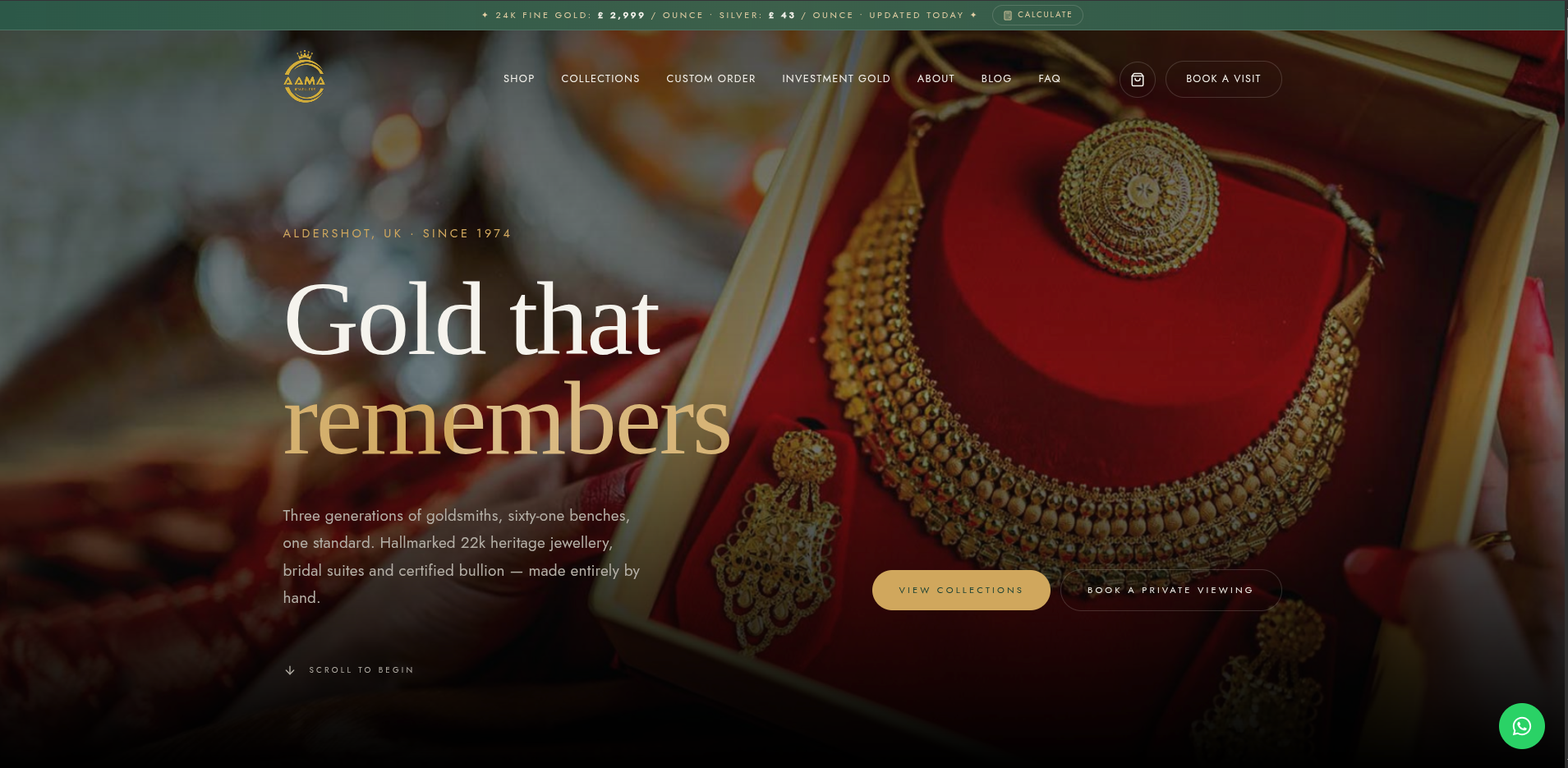
Aama Jewellers
A modern storefront replacing an outdated site, with a shorter checkout and social campaigns feeding it — built and handed over as one piece of work rather than two suppliers pointing at each other.
View Case StudyFrequently Asked Questions
What is a custom CRM and how is it different from Salesforce or HubSpot?
Salesforce, HubSpot and Zoho are products built for a general market and then configured to your business. A custom CRM is an application built for your business from the start. Products are faster and cheaper to begin with and carry mature features you would never build yourself. Custom fits exactly and has no per-seat licence, but costs more upfront.
How much does it cost to develop a CRM in the UK?
Scope drives it, not seat count. What moves the figure is how many pipelines you run and how complex each one is, how many systems it must integrate with and whether those have usable APIs, how clean your existing data is, how much quoting logic is genuinely bespoke, and whether field teams need mobile access.
How long does it take to build a custom CRM?
There is no standard duration, and we do not quote one before discovery. What moves the date is how many pipelines and integrations phase one holds, how clean the data being migrated is, and how quickly your team makes decisions and tests. Two-week sprints give you a working version to log into throughout.
Should I build a CRM or buy one?
Buy one if your process is standard, you need it soon, your team is small, or the scope is too thin for bespoke to be worth having. Build one if your team has abandoned the CRM you paid for, if licence costs across a growing team are significant, or if the value is joining it to systems you run.
Can you migrate our existing CRM data?
Yes — from another CRM, from spreadsheets, from an old database, or from a combination. We clean, de-duplicate and map the data, import it into a staging environment, and give you a reconciliation report to check before anything goes live. Messy source data is normal and we plan for it rather than being surprised by it.
Who owns the CRM and the data once it is built?
You do: the source code, the database and the designs, on final payment, with the repository transferred to an account in your name. Your data is exportable throughout, not only at the end. If you move to another developer we hand over the schema, the pipeline configuration and the migration scripts, and help with the transfer.
Can it integrate with Xero, Sage, Outlook or our phone system?
Usually yes. Xero, Sage and QuickBooks have workable APIs, as do Microsoft 365 and Google Workspace. Telephony varies by provider. Older or industry-specific systems are the ones to check early: some have proper APIs, some a database we can read, some neither. We check at scoping rather than discovering it in month three.
What happens if we need changes after launch?
Expected, and planned for. The first three months after go-live always surface things nobody anticipated. We work either on a support retainer or at a day rate, whichever suits how much change you expect. The system is yours, so you can also take it to another developer or bring it in-house.
Which industries have you built systems for?
We have delivered software and web systems across healthcare, retail and jewellery, renewable energy, agriculture and professional business services. We have not built a CRM for every sector, and if yours is one we have not worked in we will say so — what matters more is whether we understand your process, which is what the discovery workshop is for.
How do I choose a CRM development company?
Ask to click around a CRM they built that is in daily use, ask to see a migration reconciliation report, and ask who writes the code. Then ask what you receive if you leave: repository, schema, scripts and accounts in your name. Put questions worth asking any supplier to two companies and compare.
What is a bespoke CRM?
A bespoke CRM is a customer relationship system written for one business: its pipeline stages, quoting rules, permissions and integrations, on a database you own. Unlike a licensed product it has no per-seat charge, and you own the code on final payment. It suits businesses whose sales process does not fit a product.
Do you build ERP systems as well as CRMs?
We do not sell an ERP product. What we build around a CRM is operational software: job and order management, scheduling, stock and reporting, connected to the CRM and your accounts. If you need that wider scope, it is scoped as a bespoke software build with the same team and the same discovery, not as a bigger CRM.
Do you build CRMs for businesses outside the West Midlands?
Yes. Discovery, sprints, testing and training run on calls and a staging site you log into, so location changes little. We are registered in Oldbury, so meeting in person is straightforward in Birmingham and the wider West Midlands. Our delivery record is international rather than UK-based, and we say so plainly.
Let's Build Something That Matters.
Tell us what you're trying to achieve and we'll help you find the right solution.